

 西班牙
西班牙 墨西哥
墨西哥 巴西
巴西 波蘭
波蘭 菲律賓
菲律賓 韓國
韓國
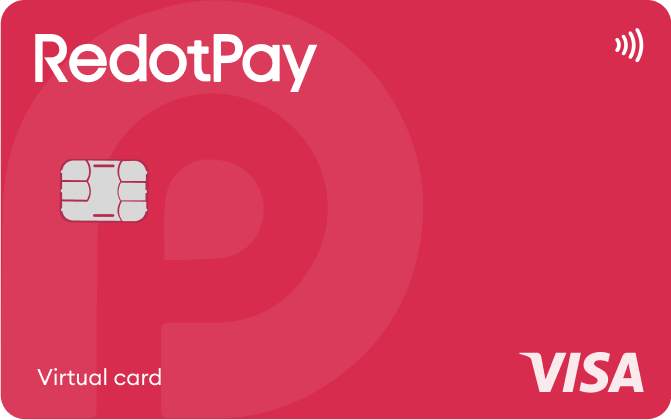
官方產品圖片・設計可能依國家及等級不同。
申請前確認
所選等級/方案Standard virtualRedotPay Virtual
請選擇你的居住地,而非旅遊目的地。
確認地區條款
請先選擇居住國
請特別留意
- 國籍、存取地點、居住地/帳單地址與寄送各有不同限制。
- 單憑一份清單無法確定申請資格。
地區支援不代表個人核准;數字以所選方案為準,須另確認等級、證件與配送條件。
文件與申請步驟 →特色與權益
以網購為主,可先選虛擬卡再考慮付費實體卡。
- 回饋・首段級距
- 標準卡固定回饋未載明;Pro 另計
- 消費偏好
- 使用可用餘額消費
- 資金保管模式
- 服務帳戶/儲值餘額
請一併查看數字適用條件 · 費用與權益條件 ↓
適合這樣的你
- 若網購或支援的行動錢包付款已足夠,且不需 ATM,可選 $10 虛擬卡。
需要接受的取捨
- 發卡費不會成為可消費餘額;此處尚未確認常態基本回饋與購物換匯費。
- 虛擬卡
- 官方有列出,須確認地區與方案
- 實體卡
- 官方有列出,須確認地區與方案
- Apple Pay
- 官方有列出,須確認地區與方案
- Google Pay
- 官方有列出,須確認地區與方案
卡片運作方式
- 官方指南列出的資產包括 USDT、USDC、BTC 與 ETH。
- 請確認各資產的入金網路與最低金額。
費用與權益條件
- 卡片發行費
- 虛擬卡發卡 $10
- 維護費與訂閱費
- 卡片年費 0 美元;可選 Pro 與個人入金帳戶費用另計
- 外幣交易費
- 購物 FX 費率請查 App;ATM 費率另計
請一併查看數字適用條件
- 發卡費並非可消費餘額。
- 公開費用頁面可讀取的內容未能再次確認購物 FX。
商品條件原文(英文)
Issuance payment is not spending balance. Purchase FX could not be reverified from the readable public fee page.
數字以所選卡片與方案為準,勿混用其他等級的優惠。
待確認項目與查詢位置 · 2
- 回饋・首段級距已查閱官方資料未載明金額已查閱的一般卡片頁面未列出固定消費回饋率;Pro 指南說明的是付費會員的 3% 回饋。
- 外幣交易費於 App/申請畫面確認目前費用頁面可讀取的內容未包含消費換匯費率表。ATM 公布的 1.2% 不足以證明適用於所有消費。
項目複核 · 2026-09-09
文件與申請步驟
申請前準備的證件
- 有效期至少還有 3 個月的實體身分證件正本、臉部掃描、實際地址與簡短問卷。
- 如有要求,另交補充文件。
- 須年滿 18 歲。
官方網站或 App 操作順序
- 在 RedotPay 完成身分驗證。
- 選擇 Card → Apply for card • 10 USD。
- 以英文填寫帳單地址,並儲入足夠支付發卡費的金額。
- 確認申請資料與不可退款的付款條件,再選擇 Pay。
官網將在新分頁開啟,請再次選擇上述商品與等級。身分驗證與最終申請由發卡服務商處理。
詳細條件與客服
完整條件
付款前的實用資訊
依功能篩選;各地區與等級的條件可能不同。
- 儲值與付款資產
- USDC · USDT · BTC · ETH
- 支援網路
- 待官方條件確認
- 卡片餘額或帳單幣別
- 新卡使用 USD;既有 HKD 卡仍存在
- 法幣兌換時點
- 付款時兌換
- 虛擬卡
- 官方有列出,須確認地區與方案
- 實體卡
- 官方有列出,須確認地區與方案
- Apple Pay
- 官方有列出,須確認地區與方案
- Google Pay
- 官方有列出,須確認地區與方案
- 定期訂閱付款
- 官方有列出,須確認地區與方案
退款與客服
- 取消、退款與問題處理
- 直接向商家申請退款。Authorized 是暫時預授權保留款,Cleared 表示已結算;商家確認退款不等於款項已入帳,請再核對 RedotPay 退款通知與帳戶入帳。
- 需要多久?
- 失敗付款的保留款通常在 2–5 天內退回。商家退款可能需 30 天以上;RedotPay 表示收到後 2–15 天內入帳。若延遲,先取得商家處理日期,再請客服追查。
- 退回哪裡?
- 退款回到 RedotPay 帳戶,但官方卡片退款指南未指定退回哪種加密資產。請向客服確認入帳餘額種類;商家退款不包含原始交易手續費。
- 取消交易與訂閱
- Card → Settings → Delete card 是刪除卡片;商家訂閱須向商家取消。Pro 自動續訂另於 Pro → … → Manage membership → Auto-renewal 關閉,已付會員費不退還。
- 遭拒或不認得的交易
- 若 App 交易顯示錯誤,截圖交給 RedotPay 客服。若完全沒有交易紀錄,先向商家詢問拒付原因;若金額被保留,重試前先區分 Pending 與 Declined。
- 聯絡客服前準備
- 透過官方 App 或說明中心客服,提供錯誤、日期、金額及商家退款確認。若商家扣款爭議仍未解決,詢問是否符合 chargeback 資格及申請程序。
官方資訊 · helpcenter.redotpay.com ↗
官方資訊 · helpcenter.redotpay.com ↗
官方資訊 · helpcenter.redotpay.com ↗
官方資訊 · helpcenter.redotpay.com ↗
官方資訊 · helpcenter.redotpay.com ↗
官方資訊 · helpcenter.redotpay.com ↗
官方資訊 · helpcenter.redotpay.com ↗
品牌與資金保管
- 發卡或營運機構
- 待官方條件確認
- 儲值資金保管
- Custodian Account 使用者:Red Dot Trust Limited 或指定的共同/接替託管機構。資產採集中託管與個別客戶內部帳簿記錄;此說明不適用於另行使用的自託管錢包。
可使用 Cards → Freeze 並管理卡片消費限額。請向商家取消訂閱,以免定期扣款失敗及可能的費用。若要不借款消費,請使用 Balance 付款,並將選用的 Credit 另行考量。
可一起比較的替代卡
官方文件與來源
依官方步驟操作
請在 Deposit 畫面核對各資產支援的網路與最低入金額。扣除網路費後仍須達到最低額;支援的入金路徑可能變更。
低於最低額的入金,可與後續同資產、同網路且達最低額的入金合併入帳。轉出前請先確認 App 目前的最低額。
使用官方 App/支援中心或 support@redotpay.com。官方聯絡頁說明將於 1 個工作日內回覆,並非保證在此期限內完成處理。
依官方步驟操作 · RedotPay ↗RedotPay Pro terms ↗
RedotPay Pro pricing ↗
Apply for a virtual card ↗
Apply for a physical card ↗
Deposit crypto to RedotPay ↗
Set payment currency order ↗
Identity verification requirements ↗
Unsupported citizenships/regions ↗
Minimum application age ↗
Manage card security ↗
Fraudulent charges and subscriptions ↗
New card settlement currency ↗
RedotPay card fees ↗
Optional RedotPay Credit ↗
RedotPay General Terms — custodian definition ↗
Custodian Account terms — Part A, pooled assets and individual records ↗
Official RedotPay contact details ↗
Download the RedotPay App ↗
依官方文件整理・並非親自付款測試
官方來源
지원 자산 · Supported assets ↗
발급 제한 · Issuance restrictions ↗
네트워크 · Deposit networks ↗
Card product ↗
Pro / normal card costs ↗
Currency and conversion fees ↗
Virtual issuance ↗
Physical issuance ↗
Current fee schedule ↗
Official terms · 2026-09-08 ↗
RedotPay — explicitly no card management, monthly or annual fees ↗
Personal funding account — separate annual maintenance conditions ↗
RedotPay Pro pricing ↗
Apply for a physical card ↗
Deposit crypto to RedotPay ↗
Set payment currency order ↗
Identity verification requirements ↗
Unsupported citizenships/regions ↗
Minimum application age ↗
Manage card security ↗
Fraudulent charges and subscriptions ↗
New card settlement currency ↗
Optional RedotPay Credit ↗
RedotPay General Terms — custodian definition ↗
Custodian Account terms — Part A, pooled assets and individual records ↗
Official RedotPay contact details ↗
Download the RedotPay App ↗
官方資訊 · RedotPay Virtual ↗
발급 제한 · Issuance restrictions ↗
네트워크 · Deposit networks ↗
Card product ↗
Pro / normal card costs ↗
Currency and conversion fees ↗
Virtual issuance ↗
Physical issuance ↗
Current fee schedule ↗
Official terms · 2026-09-08 ↗
RedotPay — explicitly no card management, monthly or annual fees ↗
Personal funding account — separate annual maintenance conditions ↗
RedotPay Pro pricing ↗
Apply for a physical card ↗
Deposit crypto to RedotPay ↗
Set payment currency order ↗
Identity verification requirements ↗
Unsupported citizenships/regions ↗
Minimum application age ↗
Manage card security ↗
Fraudulent charges and subscriptions ↗
New card settlement currency ↗
Optional RedotPay Credit ↗
RedotPay General Terms — custodian definition ↗
Custodian Account terms — Part A, pooled assets and individual records ↗
Official RedotPay contact details ↗
Download the RedotPay App ↗
官方資訊 · RedotPay Virtual ↗
目錄基準 2026.09.07・補充資料查核 2026.09.08
官方條件核對 · 2026-09-21
核對日期僅適用下列欄位。各地區、等級及後續變動請查閱原文。
- ATM
- Physical card: HKD card 2%; USD card 2% up to $10,000/month and 3% above. ATM operator charges may be separate.
- ATM FX / conversion
- Within this ATM fee schedule: 1.2% for another currency and 1% crypto conversion. These rates are not substituted for purchase FX terms.