

 Spain
Spain Mexico
 Brazil
 Poland
 Taiwan
 Philippines
 South Korea
MetaMask / Card review
Crypto payment card
MetaMask Virtual Card
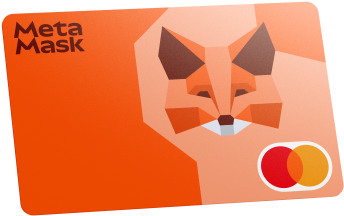
A Mastercard debit card spending directly from MetaMask, with Virtual and existing Metal tiers.
Before you apply
Selected tier / planVirtualMetaMask Virtual Card
Select where you live, not your travel destination.
Choose your residence first
Important to check
- A listed country does not guarantee personal approval.
- Check identity, address, documentation and delivery requirements.
Regional availability is not individual approval. Figures refer to the selected card/plan; check tier, identity-document and delivery conditions.
Documents & application →Features & benefits
Spend approved wallet tokens at checkout where MetaMask applications remain open.
- Rewards · first band
- 1% mUSD on eligible spend
- Spending preferences
- Spend funded balance
- Custody model
- Wallet-based
Read the conditions behind the figures · Fees & benefit conditions ↓
A good fit if
- For users who want to retain wallet access until payment and choose token spending limits.
The tradeoff
- New US/UK signups are paused; foreign-merchant, token-conversion and network charges can apply despite the Free tier’s $0 annual fee.
- Virtual card
- Listed · check region and plan
- Physical card
- Official confirmation needed
- Apple Pay
- Official confirmation needed
- Google Pay
- Official confirmation needed
How the card works
- A Mastercard debit card spending directly from MetaMask, with Virtual and existing Metal tiers.
Fees & benefit conditions
- Card issuance fee
- Free Virtual card
- Maintenance / subscription
- Free-tier annual fee $0
- Foreign-currency fee
- 1% foreign-merchant fee; token costs separate
Read the conditions behind the figures
- New US/UK signups remain paused.
- Alongside 1% for foreign merchants, some stablecoins cost 0.5%, other crypto such as wETH 0.875%, and network gas can apply.
Figures refer to the selected card and plan. Do not combine them with benefits of another pictured or listed tier.
Documents & application
Documents to prepare
Check accepted ID and any address evidence in the application for your residence and program.
Steps on the official site or app
- If your residence is supported, apply and complete verification through Money → Card in Mobile or Card in Portfolio.
- Hold a supported card token on its supported network in your MetaMask account.
- Under Enable tokens in the card dashboard, approve the token spending limit and set the spending priority.
- Check both token balance and remaining permission before paying with the card.
The official site opens in a new tab. Select the product and tier shown above. Identity checks and the final application take place with the provider.
Full details & support
Full details
Practical payment facts
Narrow by supported features · brand guidance, subject to regional and tier conditions.
- Funding / spending assets
- mUSD · USDC · USDT · wETH · EURe · GBPe
- Supported networks
- Linea · Solana · Base · Monad
- Balance / billing currency
- Official confirmation needed
- Conversion timing
- At payment
- Virtual card
- Listed · check region and plan
- Physical card
- Official confirmation needed
- Apple Pay
- Official confirmation needed
- Google Pay
- Official confirmation needed
- Recurring payments
- Official confirmation needed
Refunds & support
MetaMask Card. New US/UK applications are paused; existing cards remain usable.
- Cancellations, refunds and support
- Ask the merchant for a refund. Unresolved cases can be escalated to Crypto Life for a chargeback.
- How long does it take?
- The checked official FAQ does not publish a fixed ordinary-purchase refund deadline.
- Where is it returned?
- Credits fund your next purchase first. Withdrawals use mUSD: outside the UK, linked Money Accounts receive it in their Monad vault; other EVM users receive it in their priority Linea wallet. Solana-only wallets cannot withdraw.
- Cancellation and subscriptions
- Request closure at metamask@cl-cards.com. For a temporary pause, use Manage → Freeze Card.
- Declined or unfamiliar transactions
- Check enabled accounts, tokens, networks and remaining spending permission. Review freeze status and token priority under Manage.
- What to prepare for support
- Contact Crypto Life at metamask@cl-cards.com for card issues. Freeze the card when reporting suspicious transactions.
Manage MetaMask Card ↗
MetaMask Card setup and token permissions ↗
MetaMask Card security and support ↗
MetaMask Card eligibility and custody ↗
2026.09.08 · Based on official documentation · not a firsthand payment test
Brand and custody
- Card issuer / operator
- Monavate (named Monovate in the MetaMask FAQ); regional agreement applies
- Custody of funded balances
- Self-custodial MetaMask wallet; Crypto Life manages the card program
Funds remain in your wallet until payment, but the card can spend within your approved token allowance. You can revoke it; setting or renewing permissions can incur gas.
An alternative to compare
Choose Jupiter for a prefunded USD card balance and 2% base rewards where your residence qualifies.
Check regional termsOfficial documentation & sources
Official sources
Current FAQ and paused signups ↗
Fees ↗
Free virtual card ↗
Funding and token spending permissions ↗
Official information · MetaMask Virtual Card ↗
Catalog dated 7 Sep 2026 · supplemental facts checked 8 Sep 2026