Spain
Spain Mexico
 Brazil
 Poland
 Taiwan
 Philippines
 South Korea

Four steps to your first payment
How a payment comes together
Eligibility and funding routes vary by card. Select a step to explore what to prepare.
Pick an existing payment and funding balance; compare with your current card.
Check residence, documents, exact plan, supported asset and network.
Save the receipt and settled debit; distinguish pending from usable rewards.
Subtract actual costs from confirmed rewards and assess funding and app convenience.
The essentials
- Separate existing assets from new purchases funded with won.
- Compare one purchase with your current card on equal assumptions.
- Keep application, settled payment and refund records before increasing your spending.
Start with one purchase, not your entire monthly budget
Begin with where your money is today. Someone who already holds USDC and pays an overseas subscription has a different starting point from someone buying crypto with a won salary to purchase groceries. The first route may remove an extra conversion; the second may add purchase, withdrawal and currency-conversion costs. A good-looking card does not resolve that difference.
Choose one online order you would make anyway. Compare its final cost with your existing card, and keep essential or time-sensitive payments on a familiar route until you understand funding and settlement. The candidates below are starting points for an application review in Korea, rather than guarantees of personal approval or acceptance by a particular merchant.
A worked example: calculate what remains
This is an illustrative calculation, not a measured card result. Suppose a ₩100,000 purchase earns ₩2,000 of usable rewards and incurs ₩1,500 in allocated purchase, transfer and conversion costs. The net benefit is ₩500. If your existing card returns ₩1,000 on the same purchase, switching produces an additional benefit of minus ₩500. A larger headline reward has not made the purchase cheaper.
Keep pending points and restricted credits separate from cash already usable. Include recurring plan costs, and distinguish first-time issuance from ongoing fees so the second year remains understandable. Convert your comparison into won using a recorded exchange rate and date; otherwise two apparently identical totals may reflect different assumptions rather than different cards.
Look beneath the card image
Narrow your candidates by placing funding asset, spending mode and accounting currency side by side. Ether.fi Direct Pay and Borrow have different funding consequences despite sharing a card image. If borrowing is outside your intended use, inspect the selected mode before paying and budget against the spendable balance shown in the app, rather than the value of every asset in your wallet.
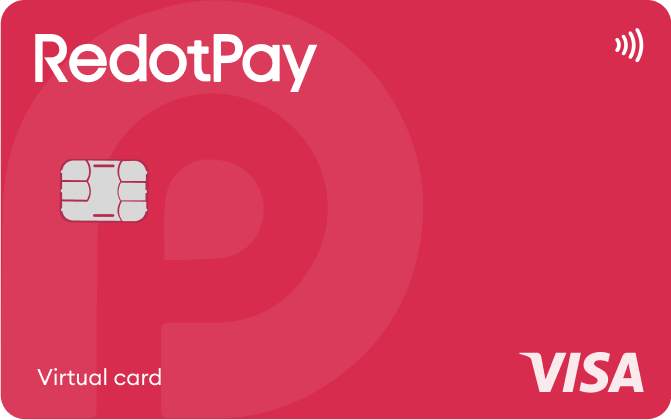
For RedotPay, record the currency of the particular card you apply for and whether it is virtual or physical. Combining a USD subscription and KRW shopping into one unexplained total obscures where conversion costs arise. A comparison headed “product, tier, accounting currency, spending mode” is more useful than a list of provider names.
Keep a usable record after the first payment
Save the transaction date, merchant, billed currency and amount, actual balance debit and confirmed reward alongside the receipt. If a purchase is cancelled, record the merchant confirmation separately from the status in the card app. A product return starts with the merchant; an uncredited card entry is easier for card support to investigate when you can supply the matching transaction reference.
Keep the application result, settled debit and any refund credit together. Funding and payment conditions can vary by residence and plan. Start with one small purchase you already planned, check the debit and reward use conditions, then expand only as needed.
From application to refund, by card
Buying assets with KRW and funding a foreign card are separate steps. Before transferring, confirm your Korean exchange’s permitted destination, identity matching and network; these candidates do not establish a direct Korean-exchange withdrawal route or KRW bank top-up.
01ether.fi Cash CoreA candidate if you already hold USDC and want a spending route without borrowing. Direct Pay uses the Vault balance, and physical cards are listed for this country.+
The tradeoff Rewards step down above $2,000; EUR has a smaller 3% band, and physical shipping costs extra.
Application conditions for this residence
South Korea is listed for Cash and physical cards; issuance requires residence details, accepted ID and KYC approval. Citizenship alone is insufficient, and a foreign passport or a particular shipping address may require additional review.
Documents to prepare
- Valid passport, national ID card or driver’s license.
- Live selfie and phone access for a one-time code.
- If requested: utility bill, bank or credit-card statement from the last three months showing name and home address.
Application, funding and first use
- Choose Personal; verify your email and complete passkey sign-in.
- Complete account KYC. If prompted, review the required top-up or applicable virtual-card charge.
- After approval, open Cash → Add Card. For physical cards, enter the delivery address.
Your first local-currency purchase
A KRW purchase converts against the USD-based card with FX costs; Direct Pay uses USDC before LiquidUSD. Phone tap-to-pay requires successful Apple Wallet/Google Wallet enrollment in a supported region, a compatible device and a contactless terminal.
Cancellations, refunds and support
- Cancellations, refunds and support
- Request the refund from the merchant and keep its reference. Pending is an authorization hold, Cleared is settled, and Pending Refund is still returning; confirm completion through the separate credit transaction.
- How long does it take?
- Merchant-cancelled holds: within 48 hours. Refund guidance lists merchant processing 1–7 days, network processing 3–5 business days and international refunds up to 10 business days; escalate 15 business days after merchant confirmation.
- Where is it returned?
- Settlement is USD-based, using the refund settlement FX rate. The reviewed guide does not name one fixed refund token: inspect the Vault credit; Borrow Mode refunds enter the main balance and do not automatically repay debt.
- Cancellation and subscriptions
- Use Cards → Edit Card → Freeze Card for a temporary block. Ask support about permanent card closure and cancel merchant subscriptions with each service; freezing the card does not confirm cancellation of a subscription contract.
- Declined or unfamiliar transactions
- Open the decline reason in transaction history and check balance, card details and merchant restrictions. In Borrow Mode, check borrowing power too; send support the date, amount and merchant if it persists.
- What to prepare for support
- Use live chat at help.ether.fi or support@ether.fi with the transaction date, amount, merchant and refund reference.
Official information · help.ether.fi ↗
Official information · help.ether.fi ↗
Official information · help.ether.fi ↗
Official information · help.ether.fi ↗
Official information · help.ether.fi ↗
Official information · help.ether.fi ↗
Official sources · 2026.09.08
Cash supported countries and physical-card availability ↗KYC process and accepted documents ↗
Direct Pay and Borrow Mode ↗
Card currency, FX and refunds ↗
Apple Wallet and Google Pay ↗
Fund your Vault with crypto ↗
Vault assets and networks ↗
Freeze or block your Cash card ↗
Progressive cashback bands ↗
Membership benefits ↗
Membership qualification ↗
ether.fi Terms of Use — September 4, 2026 ↗
How to Open an Ether.fi Account ↗
Why do I need to top up my account to complete account verification? ↗
Physical Cards - Everything You Need to Know ↗
02RedotPay VirtualUseful for trying virtual-card online purchases before ordering a physical card. Pro rewards require paid membership and qualifying Apple Pay/Google Pay purchases; ordinary card use alone does not qualify for Pro cashback.+
The tradeoff The issuance fee is not spendable balance; ongoing base cashback and purchase FX remain unverified here.
Application conditions for this residence
South Korea is absent from current citizenship and location exclusion lists; residence there does not override an excluded citizenship. Age 18+, accepted ID and KYC apply; verify physical delivery separately before paying.
Documents to prepare
- Original passport, national ID or driver’s license offered in verification; at least three months’ validity remains.
- Face scan, current home address and occupation/source-of-funds questionnaire.
- If requested: personal statement or source-of-funds evidence by the notification’s deadline.
Application, funding and first use
- Complete identity verification in RedotPay.
- Choose Card → Apply for card • 10 USD.
- Enter an English billing address and fund the issuance fee.
- Review the application and non-refundable payment, then select Pay.
Your first local-currency purchase
New cards settle in USD, so KRW purchases involve conversion and applicable fees. Phone payments require a supported device/region and successful wallet enrollment; an Apple Pay card upgrade may be required.
Cancellations, refunds and support
- Cancellations, refunds and support
- Ask the merchant directly for a refund. Authorized is a temporary hold and Cleared is settled; merchant confirmation alone is not a credited refund, so check the RedotPay refund notification and account credit.
- How long does it take?
- Failed-payment holds usually return in 2–5 days. Merchant refunds can take 30+ days; RedotPay states crediting within 2–15 days after receipt. If delayed, obtain the merchant’s processing date and ask support to trace it.
- Where is it returned?
- Refunds return to the RedotPay account, but the official card-refund guide does not specify the returned crypto. Ask support which balance receives the credit; the merchant refund excludes the original transaction fee.
- Cancellation and subscriptions
- Card → Settings → Delete card removes the card; cancel merchant subscriptions with the merchant. For Pro, turn off Pro → … → Manage membership → Auto-renewal separately; paid membership fees are non-refundable.
- Declined or unfamiliar transactions
- If the app transaction shows an error, send a screenshot to RedotPay support. With no transaction record, ask the merchant about its rejection; if an amount is held, distinguish Pending from Declined before retrying.
- What to prepare for support
- Use support in the official app or help center with the error, date, amount and merchant refund confirmation. For an unresolved merchant charge, ask about chargeback eligibility and procedure.
Official information · helpcenter.redotpay.com ↗
Official information · helpcenter.redotpay.com ↗
Official information · helpcenter.redotpay.com ↗
Official information · helpcenter.redotpay.com ↗
Official information · helpcenter.redotpay.com ↗
Official information · helpcenter.redotpay.com ↗
Official information · helpcenter.redotpay.com ↗
Official sources · 2026.09.08
Citizenship restrictions ↗Location access restrictions ↗
Identity verification requirements ↗
Government ID examples for identity verification ↗
Physical-card application and shipping ↗
USD or HKD card settlement ↗
Apple Pay support and prerequisites ↗
Apple Pay card upgrade ↗
RedotPay Pro requirements ↗
RedotPay Pro pricing ↗
Apply for a virtual card ↗
Deposit crypto to RedotPay ↗
Supported assets and deposit minimums ↗
Set payment currency order ↗
Minimum application age ↗
Manage card security ↗
Fraudulent charges and subscriptions ↗
RedotPay card fees ↗
Optional RedotPay Credit ↗
RedotPay General Terms — custodian definition ↗
Custodian Account terms — Part A, pooled assets and individual records ↗
Official RedotPay contact details ↗
Download the RedotPay App ↗
Compare the cards in this story
| CARD PROFILE | Rewards · first band | Foreign-currency fee | Maintenance / subscription |
|---|---|---|---|
| ether.fi Cash Core | 3% on first $2,000/month eligible spend | Base FX ~1% + 0–0.5% margin | Membership $0/year; issuance, shipping and usage costs separate |
| ether.fi Cash Core · Core entry tier. Standard monthly spend earns 1% after $2,000 and 0.5% after $3,000; EUR bands differ. | |||
| RedotPay Virtual | Standard cashback unspecified; Pro separate | Check purchase FX in app; ATM rate is separate | Card $0/year; optional Pro and personal funding-account fees separate |
| RedotPay Virtual · Issuance payment is not spending balance. Purchase FX could not be reverified from the readable public fee page. | |||
Fee and reward sources
Core · Membership ↗Cashback bands ↗
FX fees ↗
EUR purchases ↗
Virtual-card exceptions ↗
Membership benefits ↗
Official terms · 2026-09-08 ↗
Virtual issuance ↗
Physical issuance ↗
Card overview ↗
Current fee schedule ↗
Pro / normal card costs ↗
Currency and conversion fees ↗
Official terms · 2026-09-08 ↗
RedotPay — explicitly no card management, monthly or annual fees ↗
Personal funding account — separate annual maintenance conditions ↗
Published terms for these plans. Read the card profiles for caps, reward forms and other costs.
Compare cards ↗Official sources
An editorial guide based on official materials, not a report of a payment test or an individual approval.
Official sources · 28
ether.fi: Physical cards and delivery ↗ether.fi: Country availability ↗
ether.fi: Identity verification requirements ↗
ether.fi: Card currency, FX fees and refunds ↗
ether.fi: Direct Pay, Borrow Mode and refunds ↗
Cash supported countries and physical-card availability ↗
Apple Wallet and Google Pay ↗
Citizenship restrictions ↗
Location access restrictions ↗
Identity verification requirements ↗
Government ID examples for identity verification ↗
Physical-card application and shipping ↗
USD or HKD card settlement ↗
Apple Pay support and prerequisites ↗
Apple Pay card upgrade ↗
RedotPay Pro requirements ↗
Official information · help.ether.fi ↗
Official information · help.ether.fi ↗
Official information · help.ether.fi ↗
Official information · help.ether.fi ↗
Official information · help.ether.fi ↗
Official information · helpcenter.redotpay.com ↗
Official information · helpcenter.redotpay.com ↗
Official information · helpcenter.redotpay.com ↗
Official information · helpcenter.redotpay.com ↗
Official information · helpcenter.redotpay.com ↗
Official information · helpcenter.redotpay.com ↗
Official information · helpcenter.redotpay.com ↗