Spain
Spain Mexico
 Brazil
 Poland
 Taiwan
 Philippines
 South Korea

Four steps to your first payment
How a payment comes together
Eligibility and funding routes vary by card. Select a step to explore what to prepare.
Pick an existing payment and funding balance; compare with your current card.
Check residence, documents, exact plan, supported asset and network.
Save the receipt and settled debit; distinguish pending from usable rewards.
Subtract actual costs from confirmed rewards and assess funding and app convenience.
The essentials
- Card purchases and SPEI transfers are separate routes.
- Payout availability does not guarantee card approval.
- Keep MXN receipts and final USD debits together.
USDC does not make every payment a card purchase
If you already hold USDC or USDT in Mexico, connecting that balance to everyday spending can be worth comparing. But a supermarket purchase, a rent transfer and an overseas online subscription are three different problems. Evaluate a card route for purchases that accept cards, and an MXN transfer route for expenses where the recipient asks for a bank payment.
KAST’s fee schedule updated 1 September 2026 lists both SPEI deposits and withdrawals. Before using either direction, check that it is enabled in your account and confirm receiving or recipient details, the applicable quote and limits. A card number is not itself a SPEI receiving account; bank transfers and card purchases are separate routes.
Compare KAST and RedotPay at purchase level
KAST is a candidate for comparing card purchases alongside payouts to a Mexican bank. RedotPay is a candidate for examining virtual versus physical issuance costs, crypto-payment conversion and non-USD charges. In both cases, complete the personal approval and document checks; a country appearing in a payout feature is not proof that an individual card application will succeed.
If your routine includes many small purchases, inspect minimum or small-payment conditions and any insufficient-balance decline fee. A fee structure that looks attractive for one large purchase need not produce the same result for several purchases each day. Open the terms of the tier you would actually use, rather than the brand’s maximum reward headline. That is the level at which a comparison becomes useful for household spending.

Connect the peso receipt to the app debit
If checkout offers MXN and the card currency, read the merchant conversion option. Choosing local MXN avoids merchant DCC, but non-USD card charges can remain. Keep the MXN receipt, final USD debit, fees and usable reward as one purchase record, so you can see what the route actually cost.
For an initial trial, consider a modest funding amount and an ordinary purchase rather than committing a full month of living costs. However, repeated tiny transfers can magnify per-operation charges, so check the network and minimum amount. If a payment fails, examine its status and available balance before contacting official support. Repeating the same transaction without understanding the decline can make a small operational problem more expensive.
From application to refund, by card
KAST’s fee schedule updated 1 September 2026 lists both SPEI deposits and withdrawals. Before using either direction, check that it is enabled in your account and confirm receiving or recipient details, the applicable quote and limits. A card number is not itself a SPEI receiving account; bank transfers and card purchases are separate routes.
01KAST K CardCompare USD card spending with MXN payouts to Mexican banks. Existing supported stablecoins can remove an external purchase step.+
The tradeoff The 1.5% reward stops after $2,000 monthly; credits cannot leave KAST, and non-USD fees can consume rewards.
Application conditions for this residence
Conditional candidate: Mexico payout functionality is documented, but personal card approval is separate. Register your actual Mexican residence and nationality, then complete KYC and confirm card ordering is offered.
Documents to prepare
- Valid original passport, national ID or driving licence accepted in your app
- If requested: address proof within 90 days, such as bank statement, utility bill or named tenancy agreement, matching the app address
Application, funding and first use
- Create your account in KAST and complete the requested identity/address checks.
- Tap the lower-right card icon and choose your card.
- Choose Order Card → Virtual only or Physical and virtual.
- Review pricing and delivery details, then Confirm.
Your first local-currency purchase
Fund the USD balance with a supported asset and choose MXN at checkout. Include non-USD FX and small-payment fees; compare the Send → SPEI payout quote separately, and apply separate ATM limits.
Cancellations, refunds and support
- Cancellations, refunds and support
- Request the purchase refund from the merchant and obtain confirmation. If the original charge is Pending/Authorized, a refund may await clearing; check its status in Transactions first.
- How long does it take?
- Typically 10–15 business days after merchant approval; some cases take up to 30 business days. After 30 business days, confirm merchant processing and ask Concierge to trace it with the refund reference.
- Where is it returned?
- Refunds return to the KAST wallet balance. The public refund FAQ does not specify MXN/BRL refund exchange rates; retain both purchase and refund USD amounts.
- Cancellation and subscriptions
- Delete a virtual card via Card → More → Cancel card. Ask Concierge separately about an unshipped physical-order refund and ending paid Premium/Private membership under your applicable terms.
- Declined or unfamiliar transactions
- Check balance, freeze status, limits, CVV and PIN. Insufficient-balance declines cost $0.50, so avoid repeated retries; send timestamp, amount and merchant to Concierge if unresolved.
- What to prepare for support
- In Concierge chat, type Talk to a human, or email support@kast.xyz from your registered address. Include transaction/refund references and the merchant’s response.
Official information · concierge.kast.xyz ↗
Official information · concierge.kast.xyz ↗
Official information · concierge.kast.xyz ↗
Official information · concierge.kast.xyz ↗
Official information · concierge.kast.xyz ↗
Official sources · 2026.09.08
KAST official guidance ↗KAST official guidance ↗
KAST official guidance ↗
KAST official guidance ↗
KAST official guidance ↗
Supported stablecoins and networks ↗
Funding a KAST account ↗
Choose a token and network ↗
Order and activate a KAST card ↗
Freeze or unfreeze a KAST card ↗
K Card ↗
X Card ↗
Solana Gold Card ↗
Cashback redemption and purchase-only use ↗
KAST cashback terms ↗
KAST general Terms — July 7, 2026: ownership and USD ledger ↗
What Information Do I Need To Verify My KAST Account? ↗
KAST – The global money app ↗
Download KAST ↗
02RedotPay VirtualUseful to compare for online spending from supported crypto you already hold. Include the USD card’s conversion costs alongside your local bank card.+
The tradeoff The issuance fee is not spendable balance; ongoing base cashback and purchase FX remain unverified here.
Application conditions for this residence
Conditional candidate: public restrictions also depend on citizenship. Mexican or Brazilian residence alone is insufficient; complete KYC using your actual nationality/address, then verify virtual issuance and physical delivery separately.
Documents to prepare
- Select issuing country; use only listed passports, ID cards or driving licences; residence permits are generally unsupported
- Original physical document with at least 3 months validity, face scan and your current residential address
Application, funding and first use
- Complete identity verification in RedotPay.
- Choose Card → Apply for card • 10 USD.
- Enter an English billing address and fund the issuance fee.
- Review the application and non-refundable payment, then select Pay.
Your first local-currency purchase
Deposit existing assets on a supported network, or include MXN purchase and withdrawal costs. For the USD card, MXN spending adds crypto-conversion/non-USD costs; cash-like transactions have separate restrictions and fees.
Cancellations, refunds and support
- Cancellations, refunds and support
- Ask the merchant directly for a refund. Authorized is a temporary hold and Cleared is settled; merchant confirmation alone is not a credited refund, so check the RedotPay refund notification and account credit.
- How long does it take?
- Failed-payment holds usually return in 2–5 days. Merchant refunds can take 30+ days; RedotPay states crediting within 2–15 days after receipt. If delayed, obtain the merchant’s processing date and ask support to trace it.
- Where is it returned?
- Refunds return to the RedotPay account, but the official card-refund guide does not specify the returned crypto. Ask support which balance receives the credit; the merchant refund excludes the original transaction fee.
- Cancellation and subscriptions
- Card → Settings → Delete card removes the card; cancel merchant subscriptions with the merchant. For Pro, turn off Pro → … → Manage membership → Auto-renewal separately; paid membership fees are non-refundable.
- Declined or unfamiliar transactions
- If the app transaction shows an error, send a screenshot to RedotPay support. With no transaction record, ask the merchant about its rejection; if an amount is held, distinguish Pending from Declined before retrying.
- What to prepare for support
- Use support in the official app or help center with the error, date, amount and merchant refund confirmation. For an unresolved merchant charge, ask about chargeback eligibility and procedure.
Official information · helpcenter.redotpay.com ↗
Official information · helpcenter.redotpay.com ↗
Official information · helpcenter.redotpay.com ↗
Official information · helpcenter.redotpay.com ↗
Official information · helpcenter.redotpay.com ↗
Official information · helpcenter.redotpay.com ↗
Official information · helpcenter.redotpay.com ↗
Official sources · 2026.09.08
RedotPay official guidance ↗RedotPay official guidance ↗
RedotPay official guidance ↗
RedotPay official guidance ↗
RedotPay Pro terms ↗
RedotPay Pro pricing ↗
Apply for a virtual card ↗
Apply for a physical card ↗
Deposit crypto to RedotPay ↗
Supported assets and deposit minimums ↗
Set payment currency order ↗
Minimum application age ↗
Manage card security ↗
Fraudulent charges and subscriptions ↗
New card settlement currency ↗
Optional RedotPay Credit ↗
RedotPay General Terms — custodian definition ↗
Custodian Account terms — Part A, pooled assets and individual records ↗
Official RedotPay contact details ↗
Download the RedotPay App ↗
Compare the cards in this story
| CARD PROFILE | Rewards · first band | Foreign-currency fee | Maintenance / subscription |
|---|---|---|---|
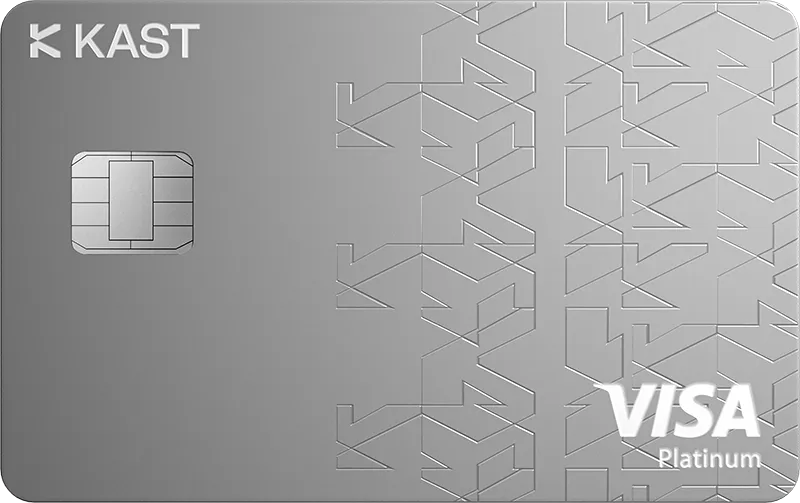
| KAST K Card | 1.5% USD on first $2,000/month | 0.5–1.75% on non-USD payments | $0/year membership |
| KAST K Card · Regional and transaction eligibility applies. Non-USD purchases under $25 add $0.10; points are separate from cash rates. | |||
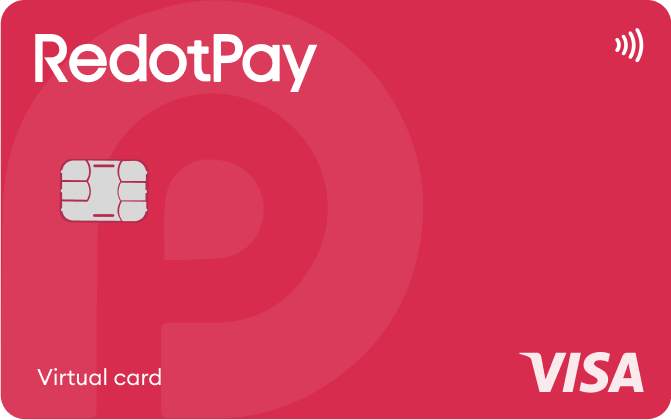
| RedotPay Virtual | Standard cashback unspecified; Pro separate | Check purchase FX in app; ATM rate is separate | Card $0/year; optional Pro and personal funding-account fees separate |
| RedotPay Virtual · Issuance payment is not spending balance. Purchase FX could not be reverified from the readable public fee page. | |||
Fee and reward sources
Fees · 1 Sep 2026 ↗Reward redemption ↗
K Card ↗
Membership plans ↗
Official terms · 2026-09-08 ↗
Official terms · 2026-09-08 ↗
Virtual issuance ↗
Physical issuance ↗
Card overview ↗
Current fee schedule ↗
Pro / normal card costs ↗
Currency and conversion fees ↗
Official terms · 2026-09-08 ↗
RedotPay — explicitly no card management, monthly or annual fees ↗
Personal funding account — separate annual maintenance conditions ↗
Published terms for these plans. Read the card profiles for caps, reward forms and other costs.
Compare cards ↗Official sources
An editorial guide based on official materials, not a report of a payment test or an individual approval.
Official sources · 28
ether.fi: Physical cards and delivery ↗ether.fi: Identity verification requirements ↗
Banco de México: SPEI transfers and payment receipts ↗
ether.fi: Direct Pay, Borrow Mode and refunds ↗
ether.fi: Card currency, FX fees and refunds ↗
KAST official guidance ↗
KAST official guidance ↗
KAST official guidance ↗
KAST official guidance ↗
KAST official guidance ↗
RedotPay official guidance ↗
RedotPay official guidance ↗
RedotPay official guidance ↗
RedotPay official guidance ↗
Official information · concierge.kast.xyz ↗
Official information · concierge.kast.xyz ↗
Official information · concierge.kast.xyz ↗
Official information · concierge.kast.xyz ↗
Official information · concierge.kast.xyz ↗
Official information · helpcenter.redotpay.com ↗
Official information · helpcenter.redotpay.com ↗
Official information · helpcenter.redotpay.com ↗
Official information · helpcenter.redotpay.com ↗
Official information · helpcenter.redotpay.com ↗
Official information · helpcenter.redotpay.com ↗
Official information · helpcenter.redotpay.com ↗
Official information · helpcenter.redotpay.com ↗
Visa: dynamic currency conversion ↗