Spain
Spain Mexico
 Brazil
 Poland
 Taiwan
 Philippines
 South Korea

The essentials
- Compare MXN and USD billing on equal terms.
- Separate renewals from verification authorizations.
- Service cancellation and card freezing are separate.
List your work subscriptions with billing currency, renewal date and current payment method. Separate MXN living expenses from foreign-currency software subscriptions so you can see what a new card actually needs to do.
Check recurring-payment requirements and authentication with both the card issuer and the service. A successful card registration does not guarantee every renewal. Move one necessary subscription first and inspect the settled charge. Keep renewal reminders and a backup payment option for critical services. If payment fails, verify the balance, limits and billing details through official support; hide sensitive information in shared screenshots.
Build a sample renewal calendar
For practice, schedule software at USD 20 on day 5, streaming at MXN 199 on day 17 and storage at USD 8 on day 28. Add expected conversion, a balance-check date and a backup card to each line. Amounts are invented. Migrate one service, inspect its first renewal, and report any failure with its time, error and non-sensitive reference.
Use one subscription to learn billing and renewal
For overseas software or streaming subscriptions in Mexico, first identify the billing currency. MXN and USD offers can differ in price or tax presentation, so an exchange rate alone is not a complete comparison. Start with the amount confirmed at checkout.
Move one subscription before moving every recurring payment. Check the first actual charge and the next renewal, and distinguish a card-verification authorization from the subscription purchase in your records. Include non-USD card charges and any reward exclusions when judging the result, instead of assuming every online purchase earns the headline benefit.

Freezing the card is not cancelling the service
Cancel an unwanted subscription in the merchant’s subscription controls and retain the confirmation. Freezing or deleting a payment card does not itself cancel your service agreement. Any paid plan for the card is a separate item to review as well.
Check available balance and card status before renewal for services you intend to keep. Repeated retries can be costly where a card charges for insufficient-balance declines. When a failure notice arrives, investigate rather than repeatedly retrying, and provide the merchant name, timestamp and amount if official support is needed.
Compare the cards in this story
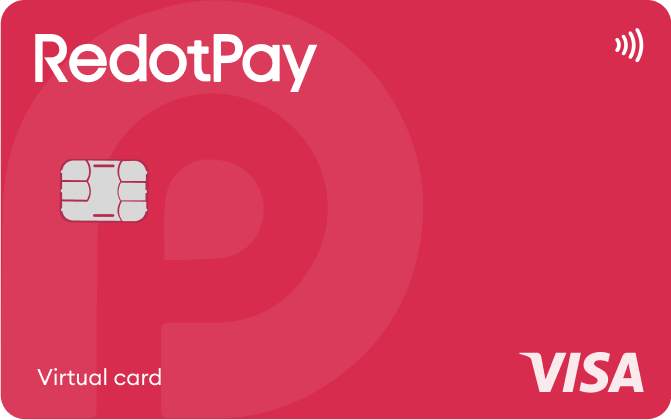
| CARD PROFILE | Rewards · first band | Foreign-currency fee | Maintenance / subscription |
|---|---|---|---|
| ether.fi Cash Core | 3% on first $2,000/month eligible spend | Base FX ~1% + 0–0.5% margin | Membership $0/year; issuance, shipping and usage costs separate |
| ether.fi Cash Core · Core entry tier. Standard monthly spend earns 1% after $2,000 and 0.5% after $3,000; EUR bands differ. | |||
| RedotPay Virtual | Standard cashback unspecified; Pro separate | Check purchase FX in app; ATM rate is separate | Card $0/year; optional Pro and personal funding-account fees separate |
| RedotPay Virtual · Issuance payment is not spending balance. Purchase FX could not be reverified from the readable public fee page. | |||
Fee and reward sources
Core · Membership ↗Cashback bands ↗
FX fees ↗
EUR purchases ↗
Virtual-card exceptions ↗
Membership benefits ↗
Official terms · 2026-09-08 ↗
Cash supported countries ↗
Virtual issuance ↗
Physical issuance ↗
Card overview ↗
Current fee schedule ↗
Pro / normal card costs ↗
Currency and conversion fees ↗
Official terms · 2026-09-08 ↗
RedotPay — explicitly no card management, monthly or annual fees ↗
Personal funding account — separate annual maintenance conditions ↗
Published terms for these plans. Read the card profiles for caps, reward forms and other costs.
Compare cards ↗Official sources
An editorial guide based on official materials, not a report of a payment test or an individual approval.