Spain
Spain Mexico
 Brazil
 Poland
 Taiwan
 Philippines
 South Korea

The essentials
- Record the merchant’s renewal date and timezone.
- Fund the usable balance before the billing window.
- Cancel with the service and save its confirmation.
Turn the invoice into a calendar entry
A Taipei freelancer might pay US$20 for a design tool and US$12 for cloud storage every month. Treat these as two recurring commitments, even if the first card payments succeeded together. Record the service account, actual invoice currency, renewal date, stated timezone and cancellation deadline. A merchant showing dates in another timezone can make a Taiwan reminder arrive too late.
Check whether the price is genuinely billed in USD or merely displayed as a USD estimate. RedotPay’s new cards are USD-based, but currency alignment is only one part of the cost. Keep the service’s invoice and your settled card entry together, then use a recorded rate to express the total in your TWD monthly budget.
Prepare for the automatic charge
Before the renewal window, inspect spendable balance, card status and the details saved by the merchant. Add room for known fees and any announced price change rather than funding exactly last month’s sticker price. An incoming transfer still awaiting credit cannot fund an immediate charge. Check the app balance after any asset conversion you need for the chosen payment mode.
If renewal fails, inspect the service’s billing page before pressing Pay again. Compare the invoice status with card transaction history and identify any temporary authorization. A missing app entry and a visible decline suggest different questions for support. Keep a familiar backup method ready for a work tool whose interruption would affect a client deadline.
- Before renewal: invoice currency, timezone, balance and saved card details.
- After renewal: service access, settled charge and receipt.

Close the subscription at its source
When leaving a service, complete its cancellation flow and save the confirmation plus the final access date. Freezing a card or removing it from a phone wallet does not document that the subscription agreement ended. RedotPay explicitly directs cancellation requests to the merchant. Check separately whether an annual plan, trial or extra storage package has its own renewal setting.
Reconcile one full renewal cycle before moving more services. Log the TWD equivalent actually spent, any usable reward received and the time needed to keep the balance ready. Ordinary card-number billing should not be assumed to qualify for a phone-wallet promotion. If the new route adds frequent manual work, include that inconvenience when deciding whether to keep it.
Compare the cards in this story
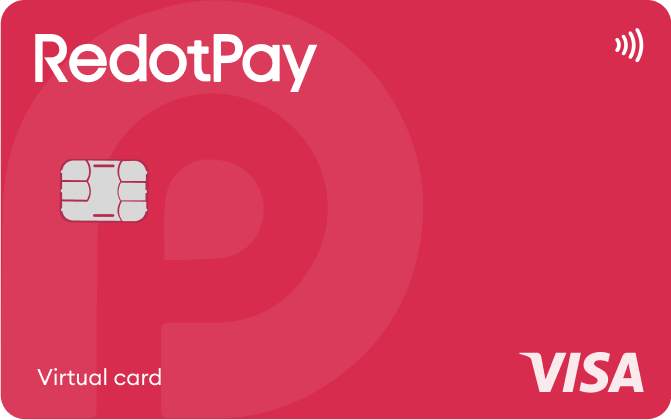
| CARD PROFILE | Rewards · first band | Foreign-currency fee | Maintenance / subscription |
|---|---|---|---|
| ether.fi Cash Core | 3% on first $2,000/month eligible spend | Base FX ~1% + 0–0.5% margin | Membership $0/year; issuance, shipping and usage costs separate |
| ether.fi Cash Core · Core entry tier. Standard monthly spend earns 1% after $2,000 and 0.5% after $3,000; EUR bands differ. | |||
| RedotPay Virtual | Standard cashback unspecified; Pro separate | Check purchase FX in app; ATM rate is separate | Card $0/year; optional Pro and personal funding-account fees separate |
| RedotPay Virtual · Issuance payment is not spending balance. Purchase FX could not be reverified from the readable public fee page. | |||
Fee and reward sources
Core · Membership ↗Cashback bands ↗
FX fees ↗
EUR purchases ↗
Virtual-card exceptions ↗
Membership benefits ↗
Official terms · 2026-09-08 ↗
Virtual issuance ↗
Physical issuance ↗
Card overview ↗
Current fee schedule ↗
Pro / normal card costs ↗
Currency and conversion fees ↗
Official terms · 2026-09-08 ↗
RedotPay — explicitly no card management, monthly or annual fees ↗
Personal funding account — separate annual maintenance conditions ↗
Published terms for these plans. Read the card profiles for caps, reward forms and other costs.
Compare cards ↗Official sources
An editorial guide based on official materials, not a report of a payment test or an individual approval.