

 Spain
Spain Mexico
 Brazil
 Poland
 Taiwan
 Philippines
 South Korea
KAST / Card review
Stablecoins · Account-balance spending
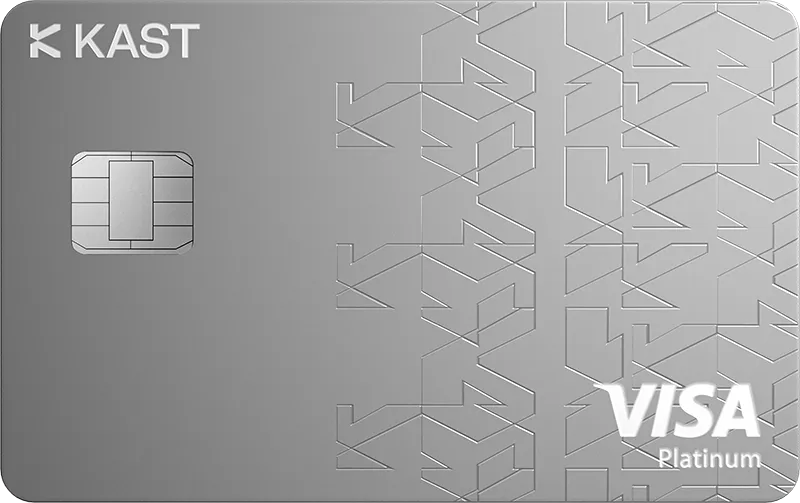
KAST Solana Gold Card
Convert supported stablecoins into an account balance for card spending.
Before you apply
Selected tier / planPrivate (formerly Luxe)KAST Solana Gold Card
Select where you live, not your travel destination.
Choose your residence first
Important to check
- Official guidance asks users to check supported countries during signup.
- Country-level issuance is not confirmed here.
Regional availability is not individual approval. Figures refer to the selected card/plan; check tier, identity-document and delivery conditions.
Documents & application →Features & benefits
Reserve Solana Gold for very high spending and valued Private benefits.
- Rewards · first band
- 3% USD on first $40,000/month
- Spending preferences
- Spend account balance
- Custody model
- Service account / loaded balance
Read the conditions behind the figures · Fees & benefit conditions ↓
A good fit if
- Choose Gold only if you approach its $40,000 monthly reward band and value Private benefits enough to justify $10,000 yearly.
The tradeoff
- The large annual fee demands sustained usage; 3% purchase credits stop after $40,000 monthly and cannot be withdrawn.
- Virtual card
- Listed · check region and plan
- Physical card
- Listed · check region and plan
- Apple Pay
- Listed · check region and plan
- Google Pay
- Listed · check region and plan
How the card works
- USDT and USDC are among supported assets.
- The deposit network must be checked separately for each asset.
View cards & plans3
Fees & benefit conditions
- Card issuance fee
- Included membership card
- Maintenance / subscription
- $10,000/year membership
- Foreign-currency fee
- 0.5–1.75% on non-USD payments
Read the conditions behind the figures
- Regional and transaction eligibility applies.
- Non-USD purchases under $25 add $0.10; points are separate from cash rates.
Figures refer to the selected card and plan. Do not combine them with benefits of another pictured or listed tier.
Documents & application
Documents to prepare
- Valid passport, national ID or driving licence; live selfie, address proof, phone and email.
- Review the selected membership price before ordering.
Steps on the official site or app
- Create your account in KAST and complete the requested identity/address checks.
- Tap the lower-right card icon and choose your card.
- Choose Order Card → Virtual only or Physical and virtual.
- Review pricing and delivery details, then Confirm.
The official site opens in a new tab. Select the product and tier shown above. Identity checks and the final application take place with the provider.
Full details & support
Full details
Practical payment facts
Narrow by supported features · brand guidance, subject to regional and tier conditions.
- Funding / spending assets
- USDC · USDT · PYUSD · RLUSD · BTC · ETH · SOL
- Supported networks
- Ethereum · TRON · Solana · Polygon · Arbitrum · BNB Chain · Stellar · XRP Ledger · TON · Sonic · Base · Avalanche C-Chain · Optimism
- Balance / billing currency
- USD
- Conversion timing
- At funding
- Virtual card
- Listed · check region and plan
- Physical card
- Listed · check region and plan
- Apple Pay
- Listed · check region and plan
- Google Pay
- Listed · check region and plan
- Recurring payments
- Listed · check region and plan
Refunds & support
- Cancellations, refunds and support
- Request the purchase refund from the merchant and obtain confirmation. If the original charge is Pending/Authorized, a refund may await clearing; check its status in Transactions first.
- How long does it take?
- Typically 10–15 business days after merchant approval; some cases take up to 30 business days. After 30 business days, confirm merchant processing and ask Concierge to trace it with the refund reference.
- Where is it returned?
- Refunds return to the KAST wallet balance. The public refund FAQ does not specify MXN/BRL refund exchange rates; retain both purchase and refund USD amounts.
- Cancellation and subscriptions
- Delete a virtual card via Card → More → Cancel card. Ask Concierge separately about an unshipped physical-order refund and ending paid Premium/Private membership under your applicable terms.
- Declined or unfamiliar transactions
- Check balance, freeze status, limits, CVV and PIN. Insufficient-balance declines cost $0.50, so avoid repeated retries; send timestamp, amount and merchant to Concierge if unresolved.
- What to prepare for support
- In Concierge chat, type Talk to a human, or email support@kast.xyz from your registered address. Include transaction/refund references and the merchant’s response.
Official information · concierge.kast.xyz ↗
Official information · concierge.kast.xyz ↗
Official information · concierge.kast.xyz ↗
Official information · concierge.kast.xyz ↗
Official information · concierge.kast.xyz ↗
Brand and custody
- Card issuer / operator
- Official confirmation needed
- Custody of funded balances
- Official confirmation needed
Select the affected card → Freeze to block new outgoing transactions immediately. Review unknown charges and report them to KAST Concierge.
An alternative to compare
Choose X if spending fits its $10,000 band and Private benefits do not justify the fee difference.
Check regional termsOfficial documentation & sources
Follow the official steps
Under KAST’s July 7, 2026 general Terms, deposited crypto transfers into KAST ownership. The USD ledger records KAST’s payment obligation for the unspent amount, not a bank deposit. Service-specific partner terms may take precedence.
KAST fees — September 1, 2026 ↗Supported stablecoins and networks ↗
Funding a KAST account ↗
Choose a token and network ↗
Order and activate a KAST card ↗
KAST country eligibility ↗
Freeze or unfreeze a KAST card ↗
K Card ↗
X Card ↗
Solana Gold Card ↗
Cashback redemption and purchase-only use ↗
KAST cashback terms ↗
KAST general Terms — July 7, 2026: ownership and USD ledger ↗
What Information Do I Need To Verify My KAST Account? ↗
KAST – The global money app ↗
Download KAST ↗
Based on official documentation · not a firsthand payment test
Official sources
발급국 확인 · Country eligibility ↗
Solana Gold ↗
September 1 cap ↗
Reward redemption ↗
Official terms · 2026-09-08 ↗
Official terms · 2026-09-08 ↗
Supported stablecoins and networks ↗
Funding a KAST account ↗
Choose a token and network ↗
Order and activate a KAST card ↗
Freeze or unfreeze a KAST card ↗
K Card ↗
X Card ↗
KAST general Terms — July 7, 2026: ownership and USD ledger ↗
What Information Do I Need To Verify My KAST Account? ↗
KAST – The global money app ↗
Download KAST ↗
Catalog dated 7 Sep 2026 · supplemental facts checked 8 Sep 2026
Official terms reviewed · 2026-09-21
The review date applies to the fields below. Check the source for regional and tier differences and later changes.
- ATM
- 2% + $3 per withdrawal; non-USD adds FX. Maximum $250 each, 3 withdrawals or $750 per 24 hours.
- USD / FX
- USD spending 0%; non-USD 0.5–1.75%. Non-USD purchases below $25 add $0.10; insufficient-balance declines cost $0.50.
- Annual / issuance
- Annual: Standard $0 / Premium $1,000 / Private $10,000. Standard physical $0 plus $40 delivery; virtual $2 in some regions.