

 Spain
Spain Mexico
 Brazil
 Poland
 Taiwan
 Philippines
 South Korea
Tria / Card review
Self-custody card
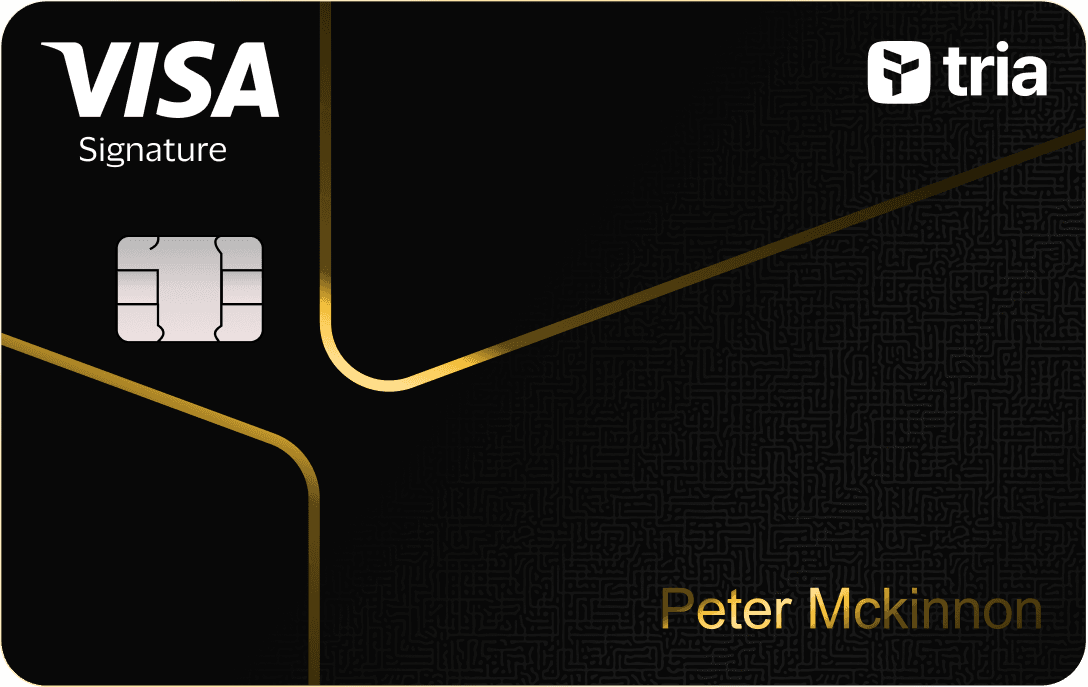
Tria Signature
Spend supported crypto with a self-custody Visa card.
Before you apply
Selected tier / planSignatureTria Signature
Select where you live, not your travel destination.
Choose your residence first
Important to check
- Credit repayment and collateral liquidation apply.
- Confirm regional price and issuance before funding.
Regional availability is not individual approval. Figures refer to the selected card/plan; check tier, identity-document and delivery conditions.
Documents & application →Features & benefits
A paid Tria tier for regular spending near $1,000 monthly.
- Rewards · first band
- 4.5% on first $1000/month, then 1%
- Spending preferences
- Collateral-backed credit
- Custody model
- Wallet-based
Read the conditions behind the figures · Fees & benefit conditions ↓
A good fit if
- For repeat spending within the 4.5% reward band on the first $1,000 of eligible monthly purchases.
The tradeoff
- Above $1,000 monthly, cashback falls to 1%; membership costs and collateral-backed repayment obligations still apply.
- Virtual card
- Listed · check region and plan
- Physical card
- Listed · check region and plan
- Apple Pay
- Listed · check region and plan
- Google Pay
- Listed · check region and plan
How the card works
- Virtual earns 1.5% on the first $100 of eligible monthly spend, then 0.5%.
Fees & benefit conditions
- Card issuance fee
- Card in membership; confirm separate issuance at checkout
- Maintenance / subscription
- Regular $109/year
- Foreign-currency fee
- 0% Tria + 1% Visa FX
Read the conditions behind the figures
- 4.5% on the first $1000 eligible monthly spend, then 1%.
- Collateral-backed credit and repayment obligations apply.
Figures refer to the selected card and plan. Do not combine them with benefits of another pictured or listed tier.
Items to verify and where to check · 1
- Card issuance feeOfficial sources differ; verify final feeCurrent memberships bundle cards; January legal disclosures list both issue and annual fees. Checkout must resolve whether separate charges apply.
Fields reviewed · 2026-09-09
Documents & application
Documents to prepare
- Age 18+ and physically present in the selected country.
- Valid ID and selfie.
- Check country support before payment; membership purchase alone does not issue a card.
Steps on the official site or app
- Choose Apply Now for the card and select your real residence.
- Check the quoted membership price; after bank-card payment, redeem the emailed code.
- Complete KYC with personal details, ID and selfie.
- For physical cards, submit your address after the in-app shipping notification.
The official site opens in a new tab. Select the product and tier shown above. Identity checks and the final application take place with the provider.
Full details & support
Full details
Practical payment facts
Narrow by supported features · brand guidance, subject to regional and tier conditions.
- Funding / spending assets
- USDC · USDT
- Supported networks
- Official confirmation needed
- Balance / billing currency
- USD credit limit
- Conversion timing
- Depends on region or payment mode
- Virtual card
- Listed · check region and plan
- Physical card
- Listed · check region and plan
- Apple Pay
- Listed · check region and plan
- Google Pay
- Listed · check region and plan
- Recurring payments
- Official confirmation needed
Refunds & support
A fixed processing time and return currency were not established for this program. Check the transaction and contact official support using the steps below.
- Cancellations, refunds and support
- Request a cancellation or return from the merchant and obtain a confirmation or refund reference. Record whether the card transaction is pending or settled.
- Cancellation and subscriptions
- Cancel subscriptions in the merchant account and check the next billing date. Freezing or closing a card does not cancel the merchant subscription.
- Declined or unfamiliar transactions
- Check the decline reason, balance, limits and activation status. For an unfamiliar payment, use the available card-lock control and notify official support promptly.
- What to prepare for support
- Prepare the merchant, date, amount, currency, transaction ID, status and refund reference. Ask support for the destination, expected posting date and dispute deadline. Do not send a full card number or wallet secret.
Brand and custody
- Card issuer / operator
- Nimbus, LLC (international card terms)
- Custody of funded balances
- User-held collateral with issuer liquidation authorization
This is collateral-backed credit. Self-custody still includes issuer repayment and liquidation authority; a fall in collateral value can leave an unpaid shortfall.
An alternative to compare
Choose Virtual for occasional purchases when the paid membership would outweigh extra cashback.
Check regional termsOfficial documentation & sources
Official sources
June 1 cashback schedule and limited-time Virtual promotion ↗
Collateral, credit obligations and legal fee ceilings ↗
Cashback denomination and payout terms ↗
Country prohibitions ↗
Tria — Season 3 referral terms ↗
Tria — Referral promotion ↗
Membership ↗
Regular and promotional price ↗
Annual classification ↗
20% Off Tria Signature & Premium Memberships ↗
How to get a Tria Card ↗
Catalog dated 7 Sep 2026 · supplemental facts checked 8 Sep 2026